Simulation · No real PHI
How Chairside Plans works with Open Dental
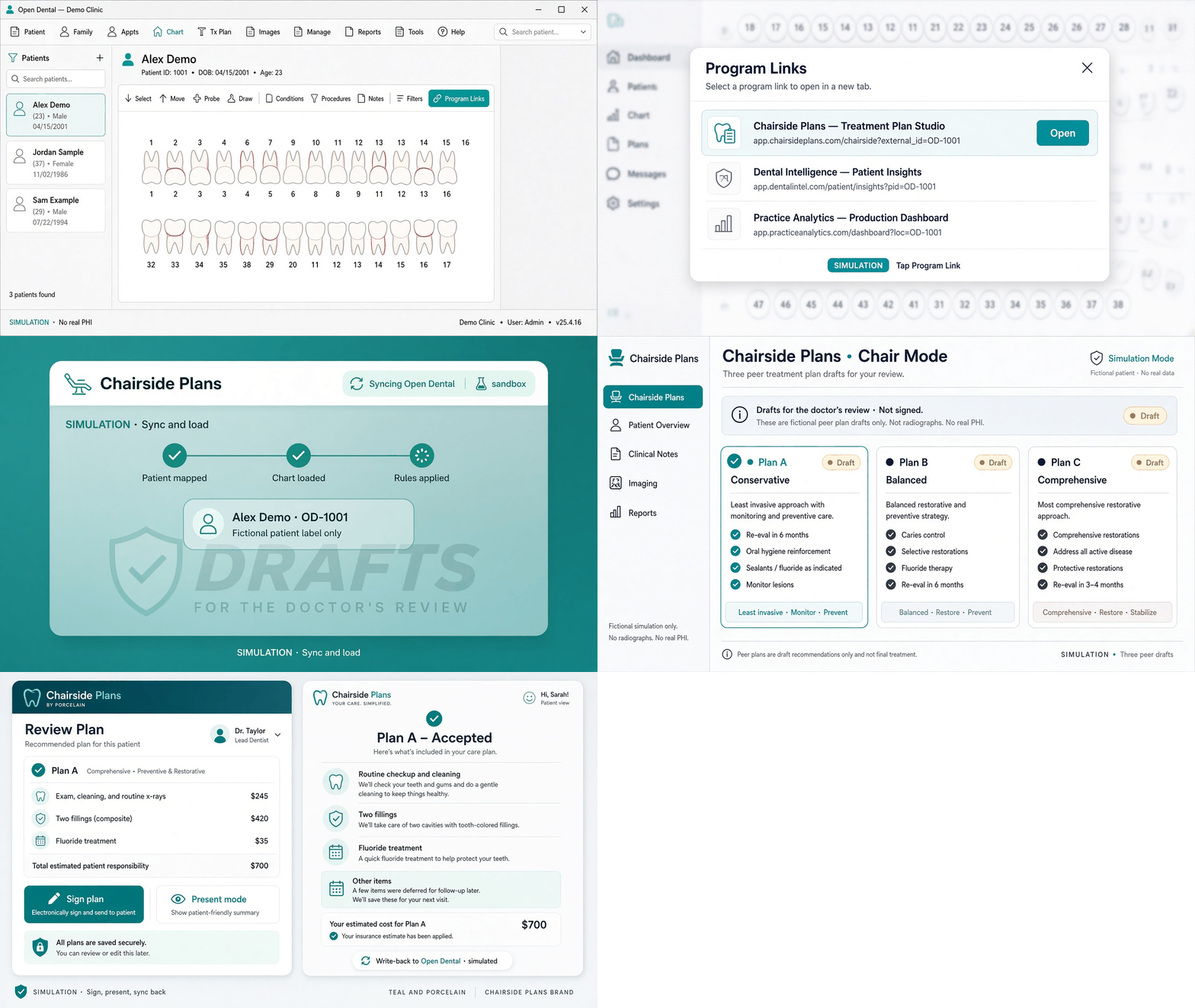
A five-step storyboard of Program Link → sync → three peer drafts → sign / present → simulated write-back. Fictional patient labels only.
This is an illustrated simulation for sales and onboarding — not a live capture of Open Dental, and not connected to real charts. Live OD keys stay off until BAA + CustomerKeys.
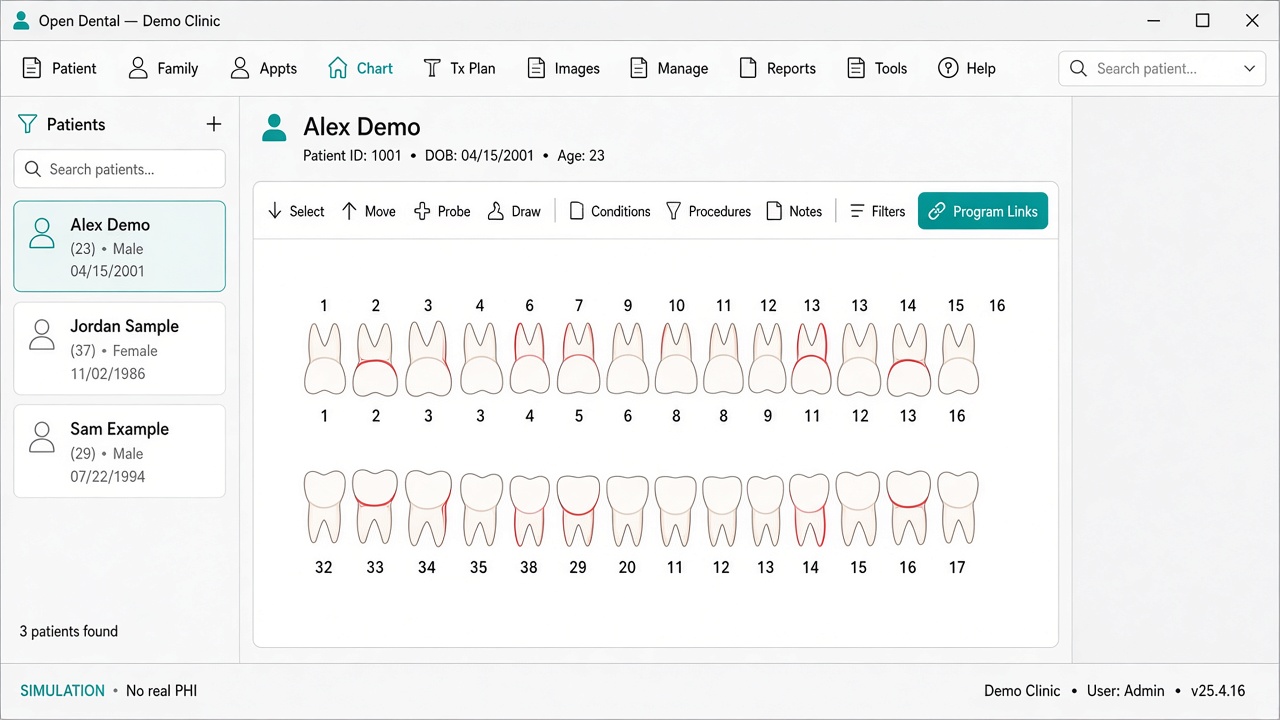
- In Open Dental, open the patient chart (demo).
- Tap Program Links → Chairside Plans.
- Studio maps the patient, loads chart context, applies practice rules (sandbox).
- Doctor sees three peer drafts (A/B/C) — still unsigned.
- Sign, present calmly, deferred items stay in the loop; write-back to OD is simulated until live gates clear.